
Enabling iCloud on your iPhone is certainly recommended as it will give you the following advantages:
Firstly, you must agree terms and conditions when prompted, so proceed with agree.
To enable iCloud, slide the button to on or alternatively leave it on and tap next.
In the next step you have to decide where you want to back up your iPhone. Choosing iCloud means your data will be backed up to iCloud every day using wi-fi. This is useful because it means your data isn’t stored on a PC so a crash won’t mean you lose everything. If there is a problem with your device you can restore all the data over the internet. Some people will prefer to back up their data every time they sync.
The next step is to decide if you want to enable ‘Find My Phone’ It is recommended that every iPhone user should do this. It cleverly allows you to use the iPhone’s built-in GPS to locate your phone if it is lost or stolen.
The final step is to activate SIRI (this step applies to iPhone 4S and newer models only). Siri is the voice-activated assistant that you can speak to so that I will perform actions for you. Apple will then ask you if you want to share details about your phones performance with them if it crashes etc, they use this information to improve the overall performance of the iPhone and all information is treated as confidential and not shared with third parties.
That’s it. You are now ready to go!
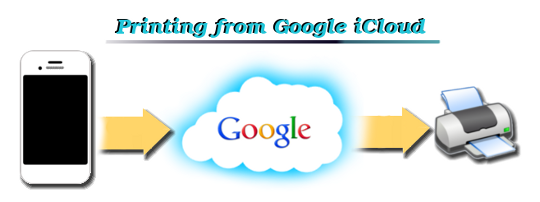
You are now ready to take full advantage of cloud printing, simply add the Cloud Ready printer to your device in Google Cloud print and you can print to your printer from anywhere at any time. No need to load the software from the printer onto your mobile device. The iCloud now acts as your own personal server storing your documents and sending to print remotely at the touch of a button.
First Published at http://printerinkcartridges.ie
- You can use ‘Find my iPhone’
- Easy to download purchases from itunes
- Using Photosteam to store and access you photos and images online
- Ability to backup your iPhone data and restore it from the internet.
- Ability to store and retrieve pages and documents online
- Use your iCloud as a centralised account for your calendar, contacts and email and synchronise them to all iCloud compatible devices
- Use itunes match
Firstly, you must agree terms and conditions when prompted, so proceed with agree.
To enable iCloud, slide the button to on or alternatively leave it on and tap next.
In the next step you have to decide where you want to back up your iPhone. Choosing iCloud means your data will be backed up to iCloud every day using wi-fi. This is useful because it means your data isn’t stored on a PC so a crash won’t mean you lose everything. If there is a problem with your device you can restore all the data over the internet. Some people will prefer to back up their data every time they sync.
The next step is to decide if you want to enable ‘Find My Phone’ It is recommended that every iPhone user should do this. It cleverly allows you to use the iPhone’s built-in GPS to locate your phone if it is lost or stolen.
The final step is to activate SIRI (this step applies to iPhone 4S and newer models only). Siri is the voice-activated assistant that you can speak to so that I will perform actions for you. Apple will then ask you if you want to share details about your phones performance with them if it crashes etc, they use this information to improve the overall performance of the iPhone and all information is treated as confidential and not shared with third parties.
That’s it. You are now ready to go!
You are now ready to take full advantage of cloud printing, simply add the Cloud Ready printer to your device in Google Cloud print and you can print to your printer from anywhere at any time. No need to load the software from the printer onto your mobile device. The iCloud now acts as your own personal server storing your documents and sending to print remotely at the touch of a button.
First Published at http://printerinkcartridges.ie

