Showing posts with label Christmas. Show all posts

Friday, 19 December 2014

Merry Christmas to Everyone from Printer Ink Cartridges

Christmas is a week away and for many it means last minute shopping. And we are offering exclusive deals for ink and toner cartridges for office and home use. Take a look at our special offers and bring down the cost of your printing this year.


We are getting into the Christmas spirit, we are very pleased to announce that any orders placed after 19th December will be delivered after 6th January 2015.

May all your wishes come true and may your new year be filled with joy and laughter in the company of your loved ones.

Merry Christmas and Happy Holidays to Everyone!!

For more information visit: http://www.printerinkcartridges.ie/home

Monday, 15 December 2014

All I want for Christmas is a Printer that does not cost the Earth to run

Thinking of treating yourself or your office to a new printer this Christmas and finally bringing down the cost of your printing? There are a few things to consider before buying your new printer – the cost of replacement ink cartridges being one of them. Sure, the features of the printer are important, Wi-Fi, fast print output, AirPrint etc, but the running costs should be uppermost in your thoughts when you are choosing which printer to buy.

Buying Low Cost Inkjet or Laser Printer to Treat yourself or your office this Christmas
Decide first of all if an inkjet or laser printer is best for you. This will usually be determined by the amount of printing you do, whether it colour or just black and white. If you are a home user or a small business and print regular but not large quantities then an inkjet printer will be sufficient for your needs. These come in all shapes and sizes with many features, some you will use and some you won’t. Check out the cost of a replacement ink cartridge from the original brand manufacturer and then check to see if the same cartridge is available as a compatible or remanufactured cartridge that will be sold by a third party online or locally. Do your research first of all to check that the printer will readily accept compatible cartridges or contact an online supplier and ask if there is a good history of that particular printer accepting compatibles without any problems.

Most online suppliers will be honest enough to let you know if there are any issues – for example many HP printers have issues with compatible cartridges due to the software within the printer – some say designed to prevent you from using third party ink cartridges. The savings on some compatible inkjet cartridges can be as much as 100% on the original brand ink. Heard the one about the ink that costs more than champagne or Chanel No. 5? Hard to believe but like for like in volume it’s true.

The same rules apply to buying a laser printer for those busy home users or small businesses. Investing in a new printer can be a major outlay for a business and the availability of compatible laser toners – that may offer savings of up to 40% against original brand toners, is a big factor to be considered. Buy sensibly and don’t forget, a printer’s not just for Christmas.

Thursday, 11 December 2014

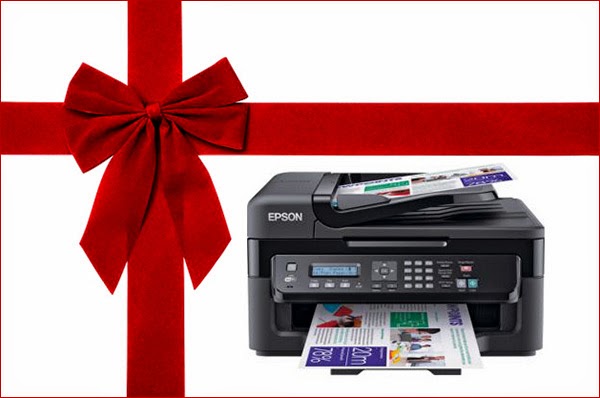
What makes the Epson Workforce printer this year perfect Christmas present?

We all search for the perfect Christmas present for him or her and rarely think of giving a useful present such as an inkjet printer. If we have already selected the main gift for a loved one, friend or colleague, how about considering buying a replacement inkjet printer to make their start back to work or school more exciting!

Make a Perfect Christmas Present for your Loved Ones this Year by Giving Epson Workforce Printer

The Epson Workforce range of printers are very affordable, cost very little to run on compatible ink cartridges and are energy efficient with up to 80% less energy consumption than its competition in the laser printer market. The Epson Workforce is an all-in-one printer, that is to say it's a printer, scanner and copier. Home users and businesses of all sizes can benefit from the low energy consumption and the Business Pro range has advanced features to integrate with existing networks.

The big factor though no matter how big the initial savings are on the printer is the cost of the ink cartridges. No point in buying a printer as a gift for someone and them having them crippled with the running costs. For example, take the Epson Workforce WF-2530 Wi-Fi All-in-one. This printer can be bought for under €100 and uses four colour ink cartridges. These inkjet cartridges are becoming available shortly in Ireland as compatibles and can offer savings of up to 100% against the original brand cartridges.

This printer is compatible with both PC and Apple Mac, has a black and white text print speed of 34 pages per minute with a speed of 18 pages per minute for colour. The scanner and copier facility provides an excellent 1200 x 2400dpi optical resolution. The printer is wireless and is enabled with Apple Airprint, Google Cloud Print and Email Print. Finally, photo editing is possible via the integral software.

Pound for pound this printer is excellent value for money and ahead of many of its rivals. All in all, this could be the perfect Christmas present and although they will open it on Christmas Day may well decide not to plat with it until the New Year!

Monday, 1 December 2014

Sending a Personalized Christmas Card you have Printed on your Home Printer

As Christmas approaches and thoughts turn to Christmas cards, it's always a nice thought to send a personalized card to friends and relatives while keeping the traditional cards for colleagues at work. Printing your own Christmas cards need not be expensive. It allows you to put a photograph of loved ones on the cover and send a truly personal message. Since most home printers accept A4 paper and card (check the maximum weight your printer will accept before you buy the card), most home printers will accept card up to a weight of 160gsm but check your printer handbook or if you don't have it go online and do a Google search. It's best to design your card in either Microsoft Word or Publisher. This will allow you to set your margins so you don't print too near the edge of the card or the crease. Don't forget you will need to leave space for the crease where the fold will be.

Personalized Christmas Cards Printing at Home Using Compatible Inkjet Cartridges and Save your Money

Be adventurous with the design of your card and use a Christmas style of font and if you can't see one in your font drop down search for a free one on Google and install it on your PC. Maybe this is for the more adventurous of those out there who fancy using a font such as Christmas Snow that depicts the text with snow on top! Spend some time on your design and if your digital photos are a little dark then consider making them brighter using the software on your PC to enhance their appearance. The more effort you put into making the photo as appealing as possible the better the end result of the card.

The next part is the printing of the card and may seem like an expensive part with people wondering if it will be costly in ink cartridges. The secret here is to use compatible inkjet cartridges that are a fraction of the cost of the original brands. The compatibles are a great way to save money on your printing and in the case of printing a Christmas card will mean you can print as many as you like without costing the earth. When you print a card with an image on it, the coverage of ink will mean a lot of ink will be used so it's best to use a glossy card – this will give a bright gloss finish and will not be such a drain on the ink cartridge as the ink will not soak into the paper the way if would if the paper was an everyday bond paper.

Imagine the thrill you friends and family, especially those abroad, will receive when they receive that personalized card this Christmas.

Click Here To Get Best Value Compatible Inkjet Cartridges with Multipack Deals

Friday, 21 November 2014

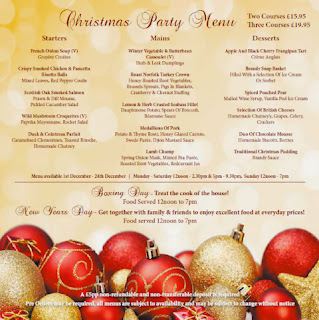
How to Print Professional Low Cost Christmas Menus for your Restaurant?

As the run in to Christmas gets underway many bars and restaurants are about to introduce their 2014 Christmas menu. Having your menus designed and printed at a Commercial Printers can be costly and sometimes out weight benefits financially. One option is to design and print the menus in-house using your existing inkjet printer or laser printer. Is it cost effective is the first question many of us will ask and will the cost of the ink cartridges being astronomical? We can deal with the cost of the ink later, but first of all some tips on designing the menu. If your menu is going to be A4 (this is a good idea as it will mean you will have no trimming to do) then set up your file in Microsoft Word or Publisher. Typing out the menu is straightforward enough, try and use some different fonts that have the appearance of Christmas.

Save Money on Printing Christmas Menus for Restaurant using Compatible Ink Cartridges

A nice font for the heading with snow on it would look effective. Many of these fonts are available online to download free and will give your menu that real Christmas feel. The layout of the content of the menu is very important, as it will need to display all your meals clearly and be easy for the reader to understand. When your content is typed then you need to decide on the layout – is it going to be one full sheet of A4 information or split into 3 columns and then fold to 1/3 A4 (this would be the size of a DL envelope when it is folded). The next part is the one that worries most people – the design. A good tip is to keep it simple with one background image. Search Google Images for an image you fell would look good as a background – this could be a Christmas scene, a tree or Santa Claus. Another tip here is to search for the image using your filter and only select high quality or Large file. This will ensure that you will have a high-resolution image in the background of your menu.

Now we come to the printing and ‘finishing’ of the menu. You may need up to 100 menus so a part from the paper the next major cost is your ink cartridges. Try to print on the heaviest paper that your printer will allow, this could be around 160gsm – it feels heavier than a standard 100gsm paper but not quite as heavy as a card. Using compatible ink and toner cartridges bought online from as little as 1 Euro per ink cartridge the cost of your printing is suddenly affordable.

When you have printed your menu then you have the choice of presenting the menu as it is or having it nicely finished by laminating or folding depending on your layout preference. Using your own tools and printing with compatible inkjet or laser toner cartridges will give you more control over the cost of printing your restaurant menus this Christmas.

Click Here to Browse the List of Ink and Toner Cartridges with Multipack Deals

Friday, 20 December 2013

Merry Christmas

It's beginning to look a lot like Christmas! Shopping takes on a whole new meaning at this time of the year as we try our best to buy presents for those we care about.

Printerinkcartridges have decided this year to give you free pack of Christmas labels and Candy Sticks with every ink cartridge that you buy to put you in festive mood.

This Christmas we hope you have a happy one and wish all of you a Merry Christmas and Peaceful New Year.

Any orders that received after 19 Dec 2013 will be dispatched on 2 Jan 2014.